
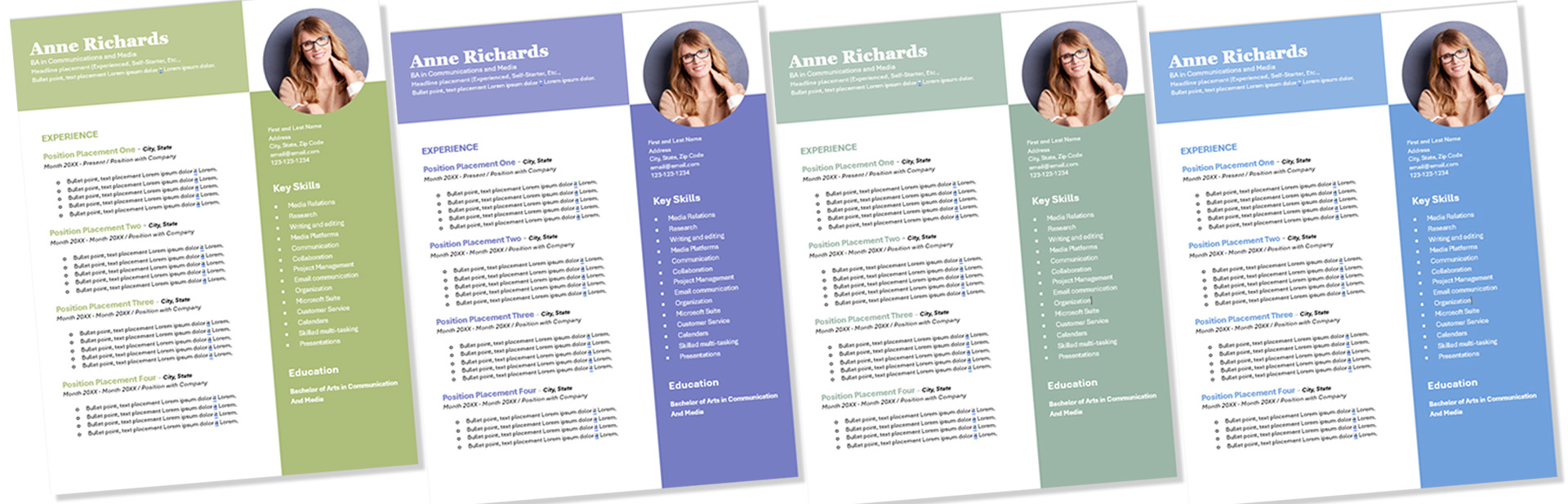
Need a professional-looking resume? Here is an excellent option for a modern-style photo template that not only enhances your presentation but also highlights your unique skills and experiences. Utilizing a clean design with strategic use of space, this template allows for easy readability, drawing attention to key sections like your work history, education, and competencies. In today’s competitive job market, a well-crafted resume can make a significant difference, setting you apart from other candidates and showcasing your personality alongside your professional achievements.

How to replace the photo…
1.) Open up the template in Microsoft Word, There are free online options to choose from, the link is provided here, and click the photo icon to insert an image that complements your content.

2.) Right click your mouse, and choose the change picture option, which will bring up a menu with several choices, allowing you to select the source from which you would like to upload your photo, such as your computer files, cloud storage, or even social media platforms. After selecting where you would like to upload your photo from, navigate through the folders or the image library provided, ensuring you find the perfect photo that you want to display, before confirming your selection to seamlessly update the image.

3.) Add the photo from your computer files by navigating to the appropriate folder where your images are stored. Once there, select the desired photo that you want to include in your project. Make sure the image is in a compatible format such as JPEG or PNG to ensure smooth uploading. After selecting the photo, you can click on the “INSERT” button, which will begin the upload process. This will allow you to seamlessly incorporate your chosen image into your document or online post, enhancing its visual appeal and providing a more engaging experience for your audience.

4.) Wallah, your photo is placed in the template, perfectly aligned to enhance the overall aesthetic and draw attention right where it matters most. This placement not only complements the surrounding elements but also serves to make your imagery stand out, capturing the viewer’s interest immediately. The thoughtful integration of your photo into the design ensures that it resonates with the intended message of the template, creating a cohesive visual narrative that enhances engagement and leaves a lasting impression.

To Change the Color Theme
Option 1.) Click on the colored box and right-click with your mouse, allowing a menu to appear that presents various color options. Once this menu is visible, Choose the “FILL” options, you’ll have the chance to carefully choose the specific color you wish to use for your project, ensuring it aligns perfectly with your vision. Take your time to explore the different shades and hues available, as selecting the right color can greatly enhance the overall aesthetics of your design and improve its visual impact.

Option 2.) Select the “Design” tab, and choose a color; you will see an extensive list of various color themes and options for you to choose from, ranging from vibrant hues to subtle shades. The great thing about this option is that the colors of the text will change to coordinate perfectly with your selected color themes, providing a cohesive and visually appealing look to your content. You can experiment with different combinations to find the one that best fits your brand or personal style, creating a unique aesthetic that captures your audience’s attention. There are many themes to choose from, ensuring that you can easily switch things up as trends evolve or as you refine your design vision.

And that it, All you need to do now is add your Name, contact info, experiences, skills, and anything else you would like to add to your resume.
You can use ChatGTP to create via AI perfectly formatted paragraphs and sentences. Here is the link
Please let me know if you would like to see more resume styles or other printable downloads, and please subscribe to my newsletter for more helpful tutorials, and printable downloads,
Please check out some of my Zazzle business collections to complete the look with business cards, IS


You must be logged in to post a comment.